Everything mssgs can do, in one overview
Private chats with ghost mode and one-time photos, communities with voice channels and roles, stories, a map of your friends, nine built-in games, bots and AI. Free on iPhone, Android, desktop and the web.

What mssgs does, in one paragraph
mssgs is a messaging app from the Netherlands that puts private chats, communities, stories and games in one app. You chat one-on-one or in groups with photos, voice memos, calls and screen sharing; run communities with six kinds of channel, roles and your own join rules; post stories and share your location with the friends you pick; and play nine games without leaving the chat. Bots, webhooks and a built-in MCP server connect it to your own tools and AI assistants. One-to-one chats are end-to-end encrypted, there are no ads, and mssgs is free on iOS, Android, macOS, Windows, Linux and the web.
- Made by
- RUAL, the Netherlands
- Price
- Free, optional Premium
- Apps
- iOS, Android, macOS, Windows, Linux, web
- Games
- Nine, built into every chat
- Ads and tracking
- None
- Servers
- In the Netherlands, with BIT
Chats that show what is going on
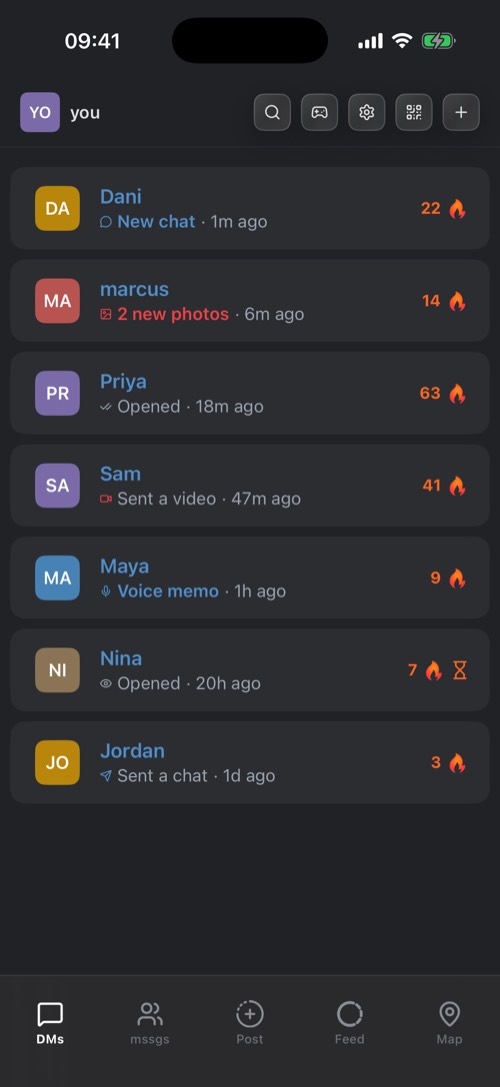
One-to-one and group chats with photos, videos, voice memos, GIFs and reactions. Every new conversation starts as a request, and your chat list shows at a glance who opened what.
-
Requests before chats
Nobody can message you out of the blue. A new conversation starts as a request that you accept or decline. Add friends by username or by scanning their QR code.
-
See who opened what
Under every name in your chat list: Sent, Opened, New chat or Received. Read By lists who has read a message, and you see when someone is typing or recording a voice memo.
-
Streaks
A flame and a count next to a friend you keep a chat going with, day after day. With Premium you can bring a lost streak back once a month.
-
Hold a message for everything
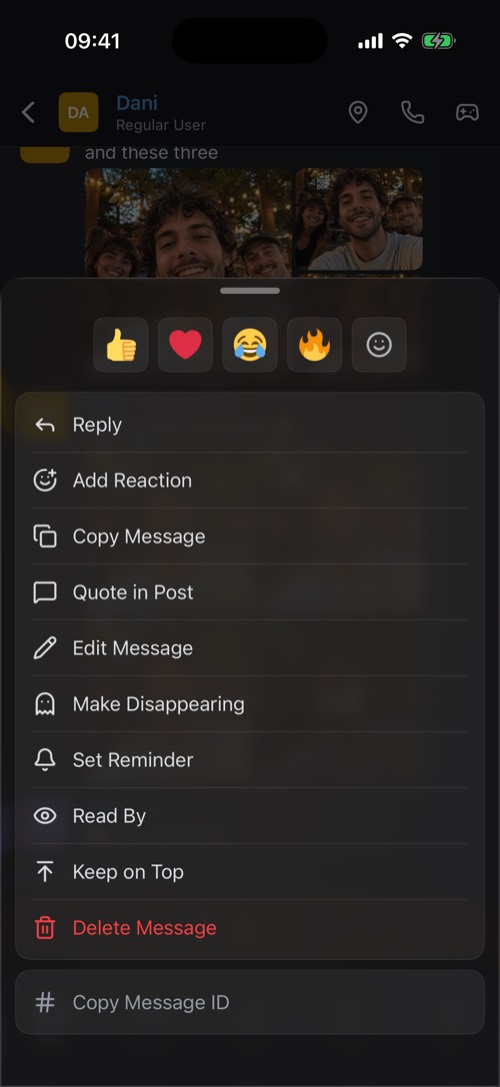
Swipe to reply. Hold for reactions, Edit Message, Set Reminder, Read By, Keep on Top, Quote in Post and Delete Message.
Also in every chat
-
Photos, videos and albums
Pick several photos and they arrive as one album. Attachments up to 25 MB and videos up to 60 seconds, or 50 MB and 180 seconds with Premium.
-
Voice memos
Tap the microphone, pause and carry on, listen back, then send.
-
GIFs and your own stickers
Search GIFs and stickers, or cut a sticker out of one of your own photos.
-
Formatting and code
Bold, italic, strikethrough, quotes and code blocks with syntax highlighting. Links get a preview card.
-
Mentions and links
@ mentions a person, # links a channel, even in another community, and : finds an emoji by name.
-
Whiteboard
Draw something and send it into the chat as an image. In a DM, your friend sees that you are drawing.
-
Events
Plan something and let everyone answer Going, Maybe or Can't.
-
Gifts
Drop coins or Premium into a chat for whoever grabs it first.
-
Listen together
Apple Music and Spotify links in a DM become one shared queue.
-
Chat backgrounds
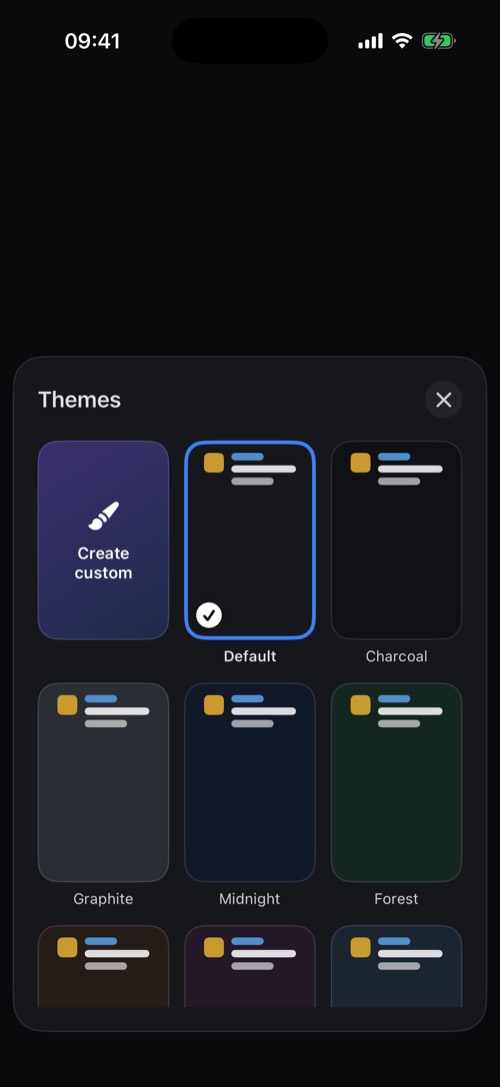
22 themes per chat, or make your own from a colour or a photo, with your own bubble colour.
-
A sound per friend
Give a chat its own notification sound and ringtone, or record and layer your own in the Studio.
-
Pin and archive
Pin chats to the top (3 free, unlimited with Premium) and archive old ones behind Face ID or a code.
-
Auto-delete
Let the messages in a DM delete themselves after 24 hours, a week, a year or more.
-
Your own chat bar
Reorder or hide the buttons under your DMs.
-
Nicknames
With Premium, give a friend a name and photo that only you see.
Private by default, with controls you can see
Ghost messages and one-time photos for what should not stick around, locks for the chats that need one, and blocking that is quiet. One-to-one chats are end-to-end encrypted, and nothing you write is used to train AI.


-
Ghost mode
In a DM, ghost messages clear about a minute after everyone has left the chat. Turn it on for one message or for this session, or add a deadline of 1 hour, 24 hours or 7 days.
-
One-time view
A photo or video that can be opened once. You see Sent, then Opened, and mssgs tells you when someone saves it or takes a screenshot.
-
Chat locks
Put a 4-digit code on a chat, and unlock it with Touch ID in the Mac app. Your Memories and your archive lock with Face ID, Touch ID or a code.
-
Quiet blocking, fair reports
Blocking is silent. Reports go to volunteer mssgs community moderators, who vote; mssgs staff decide alone only when it is urgent or the law requires it.
Also for your privacy
-
Make Disappearing
Turn a message you already sent into a ghost message.
-
End-to-end encrypted DMs
One-to-one chats are end-to-end encrypted.
-
No ads, no tracking
Your data is not sold, and your messages are never used to train AI.
-
No phone number
An account is a username and an email address. No real name needed.
-
Parent Center
A parent sees who a child chats with, how long they were online today and alerts. Never the messages, never where the child is.
-
Follow your reports
See whether each report is In review, Content removed or No action taken. Who reported you is never shown.
-
Hosted in the Netherlands
The servers mssgs runs on are hosted with BIT, a Dutch provider.
-
Blurred when you look away
On the desktop, ghost messages blur as soon as the window loses focus.
Voice and video calls, with your screen
Call a friend from any DM, turn the camera on, share your screen and keep chatting while the call floats. Communities have voice channels you just drop into, with video.
-
Calls in every DM
Tap the phone at the top of a chat. Every call starts as a voice call, and you turn the camera on when you want to.
-
Screen sharing
From the desktop app or your iPhone, show your screen to a call or a voice channel, with a heads-up in the chat if you like.
-
Keep using the app
Minimize a call to a floating bar and carry on chatting.
-
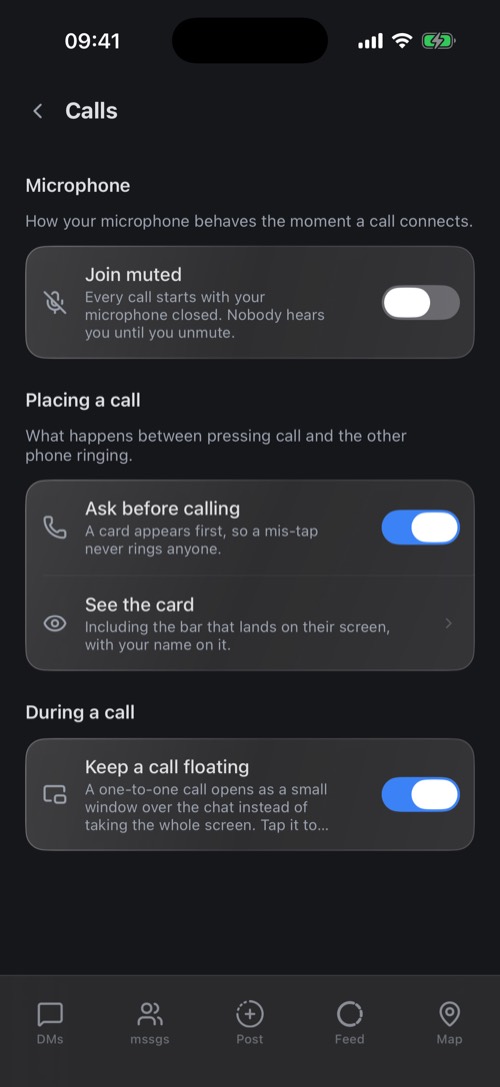
No accidental calls
A card asks Call Dani? before anything rings, and Join muted starts every call with your microphone off.
Also in calls
-
Voice channels
Tap Join Voice in a community, with camera and screen sharing. Someone too loud? Mute for me.
-
Reactions
Throw an emoji across the call.
-
Volume per person
Speaker, mute and a volume for everyone in the call.
-
Ringtones
Your own ringtone, or one for a single friend.
-
Push to talk, noise suppression
On the desktop, hold a key or a side mouse button to talk, and filter out keyboards, traffic and voices behind you. The filtering happens on your computer.
Communities with channels, roles and your own rules
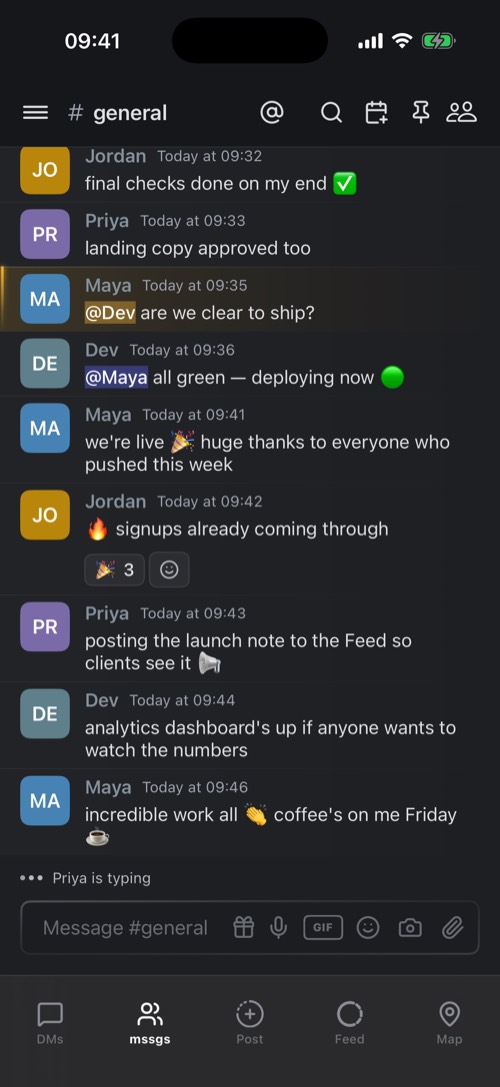
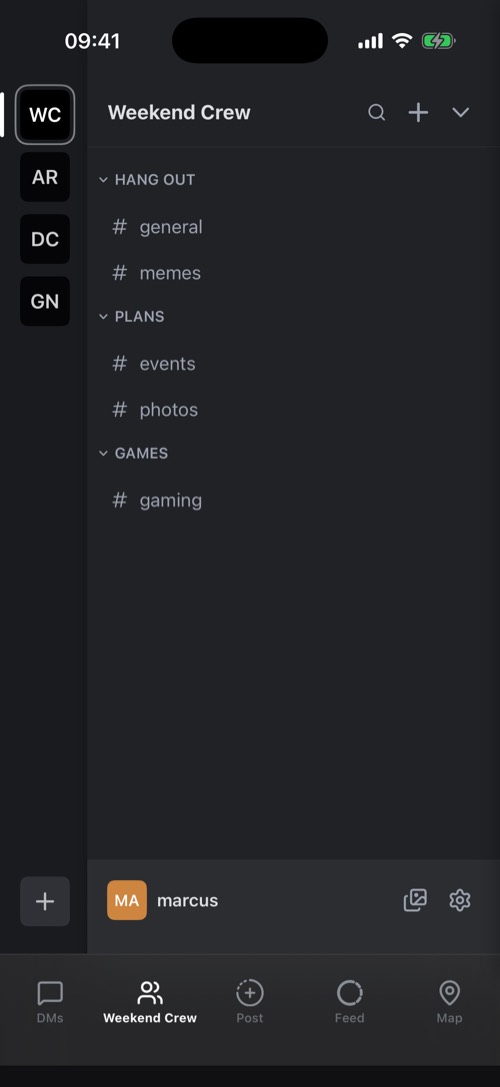
A community (a server) is a shared space for a friend group, a club, a team or a class: six kinds of channel, roles with real permissions, invites you control, and more than one owner.
-
Six kinds of channel
Text, voice, photo (a gallery grid), suggestions (members vote on ideas), watch party and announcement channels, sorted into categories.
-
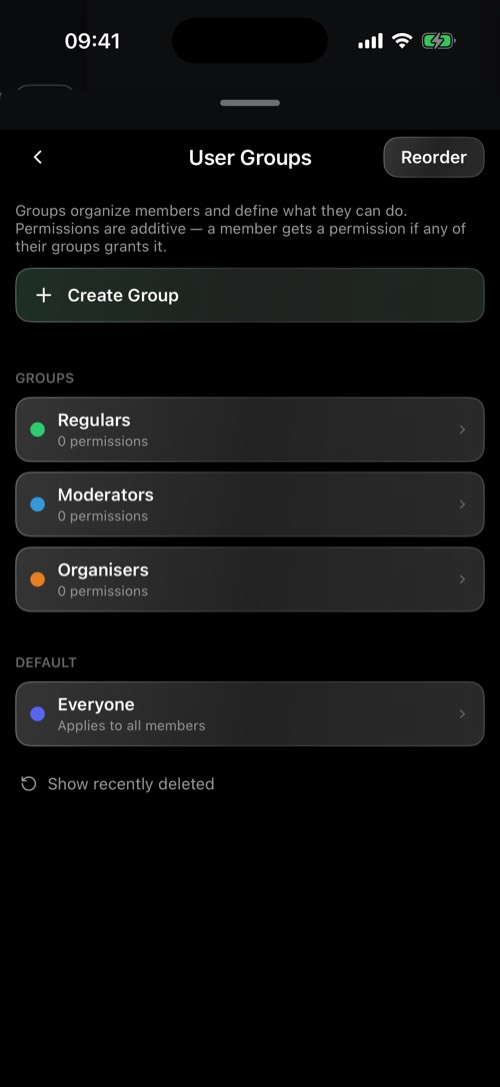
Roles with real permissions
User groups with a name and a colour, and every permission set to Enabled, Default or Disabled: from Manage Channels to Post Voice Memos.
-
Decide who may join
Invite Only, Domain Only (email addresses on your domains), Paid Only (Premium members) or Public. VPN forbidden refuses VPN, proxy and Tor.
-
More than one owner
Add co-owners with the same rights. The first owner cannot be removed.
Also in communities
-
Invites with limits
Links and QR codes with an expiry (1 hour to 30 days, or never) and a usage limit.
-
Import from a screenshot
Recreate a channel list from a screenshot of another app.
-
Watch parties
A link or your own video, in sync for everyone. The host controls playback, anyone can clip the last seconds.
-
Who is reading
The members list shows who is here, who reads along live and when each person last read.
-
Custom emoji
The community's own emoji, used by name.
-
Slash commands
Members type /standup or /poll, and the community decides what the command does.
-
Webhooks
Post alerts from other services straight into a channel.
-
Kick, ban and audit log
Ban with a reason, optionally by IP address, lift bans later, and see who changed what.
-
Notifications per channel
Off, When in server or Everywhere, or mute a channel or community from 15 minutes to until you unmute.
-
Self-deleting channels
Let a channel's messages delete themselves after a set time.
-
Pins and events
Pinned messages for everyone, and events people answer.
-
Folders
Group communities in a folder in your list.
-
Search
Search one channel or the whole community.
-
Request access
Members ask for a channel or a role themselves, and the owner decides.
-
Polls
Ask a question, set how long the poll runs, and watch the votes come in.
-
Broadcast into your community
Follow another community's announcement channel, and its posts arrive in yours.
-
Own two, join ten
Free accounts own 2 communities and join 10. With Premium: own 10, join as many as you like.
Stories, a feed, and Memories only you see
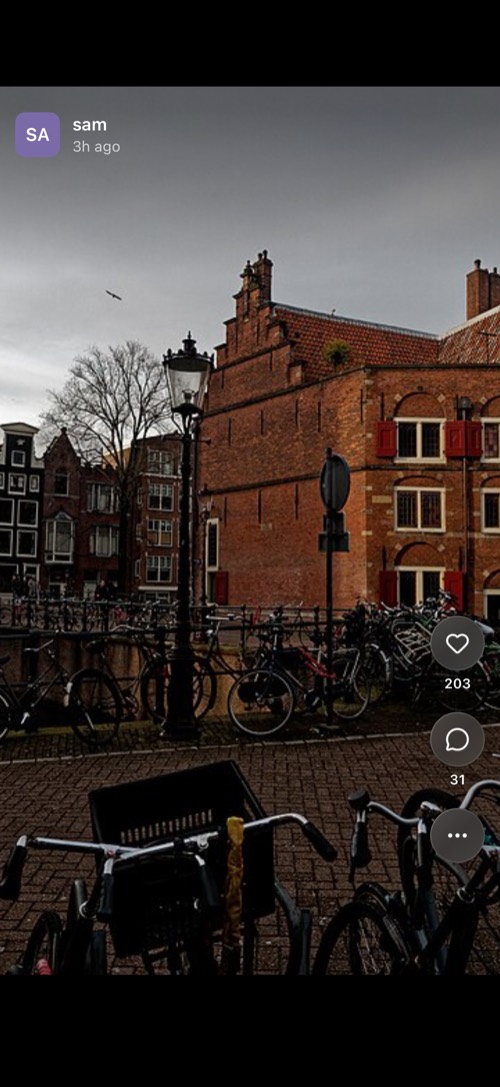
Take a photo, add a filter, text, stickers, music or a link, and choose who sees it: your feed, a public or friends-only story, a private group, a chat, or just your Memories.
-
One post, many places
Send one photo to your feed, a story, private groups and chats at the same time.
-
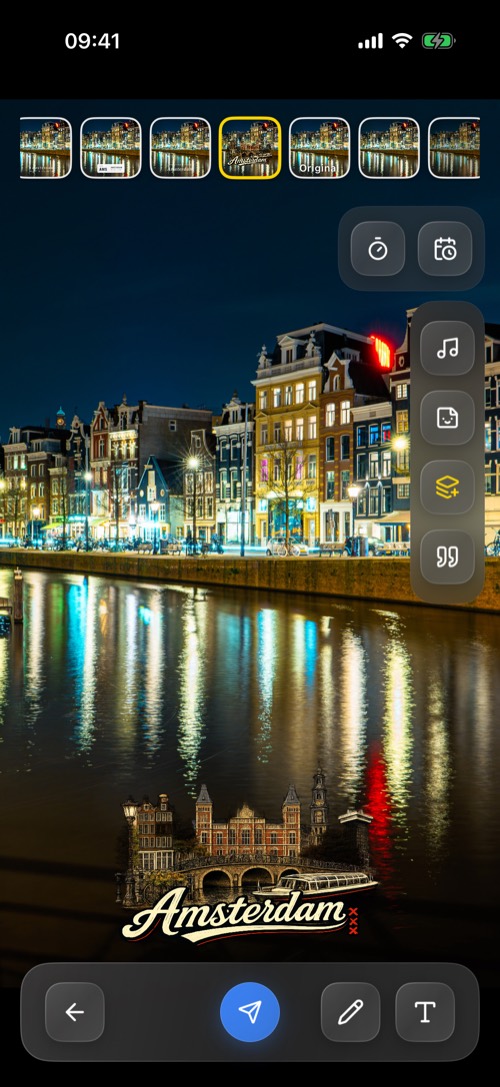
Filters for your city
Swipe through filters, including photo filters for the city you are in, and add text, stickers, music or a link.
-
Stories that go away
A story lasts 24 hours by default, or 1 hour, 12 hours or 5 days. A story set to Never still goes after 24 hours.
-
Memories
Your private photo library, with a Memory Map, locked with Face ID, Touch ID or a code.
Also in stories and the feed
-
The feed
Swipe up from post to post, like, comment, and gift credits in the comments.
-
Private stories
A story only the members of a group see, each with View, View and Post or Admin rights.
-
Photostrips
One strip a day, one frame from each member. Photos in a strip can never be deleted.
-
Schedule a post
Post now, in an hour, in a few hours or at a time you choose.
-
Story notifications
Be told when a friend posts a story.
-
Who viewed it
Swipe up on your own story to see its viewers. Saving your story to Photos sends you a notice.
-
Quote in Post
Put a message from a chat on a photo for your feed or story.
-
Import from Snapchat
Bring your Snapchat Memories into mssgs.
-
Stories on the map
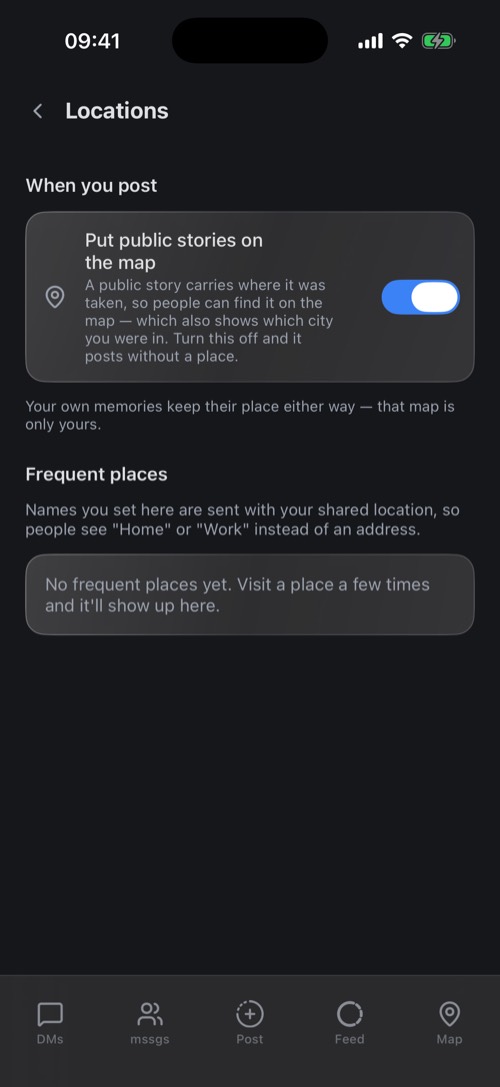
Public stories can show on the map where you took them, if you want them to.
-
Design a city filter
Upload your own photo filter for a spot (10 m to 5 km) or a whole city from the desktop or web app. Volunteer community moderators vote before it goes live.
-
Face lenses
Lenses for your face, right in the camera.
-
Post from your phone
Posting is in the iPhone and Android apps. Stories and the feed open on every device.
A map of your friends, on your terms
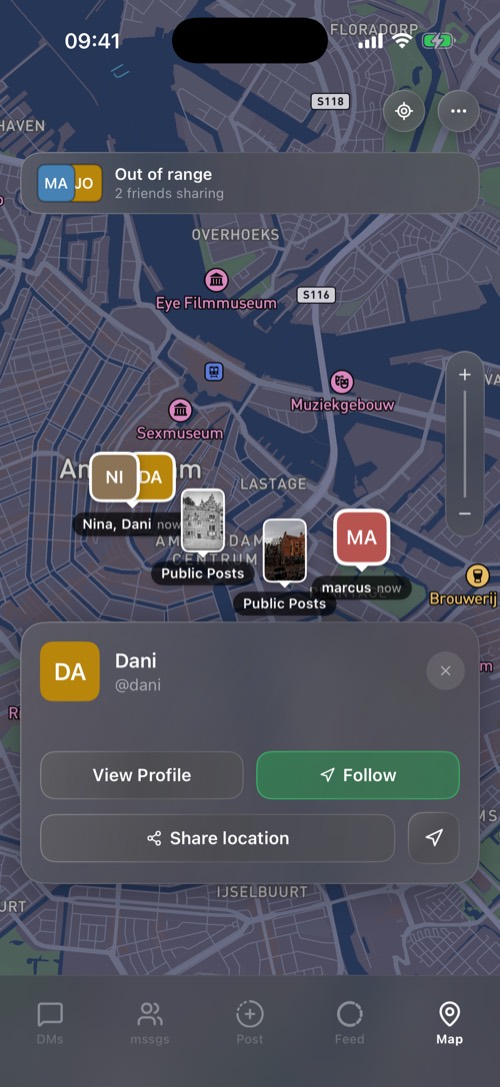
See the friends who share their location with you and public posts around you. You choose per friend whether they see you and from how far, and sharing stays on until you stop it: there is no timer to forget.
-
Friend by friend
Switch on Share my location per friend, with a range of 10, 25, 50, 100 or 300 km, or worldwide. Outside it they see you as out of range.
-
Named places
Name the places you visit often, like Home or Work, and friends see the name instead of an address.
-
Freeze your location
With Premium, a friend sees you at a spot you choose until you unfreeze.
-
Tap a friend
How far away they are, Follow to keep the map on them, and directions in Apple Maps or Google Maps.
Also on the map
-
Share a place
Drop a pin and send it to a chat as a map card.
-
Map tools
Range radar, What others see, Shared with, Who looked and travel filters.
-
Map styles
Default, Satellite, Streets or Outdoors, with traffic if you want it.
-
In your chat list
Choose what shows under a friend's name: nothing, a place label, or the label and city.
-
Public posts
See what people post around you.
-
Walking or on the train
A friend's pin shows whether they are walking, running, cycling, driving or on a train.
Nine games, right in the chat
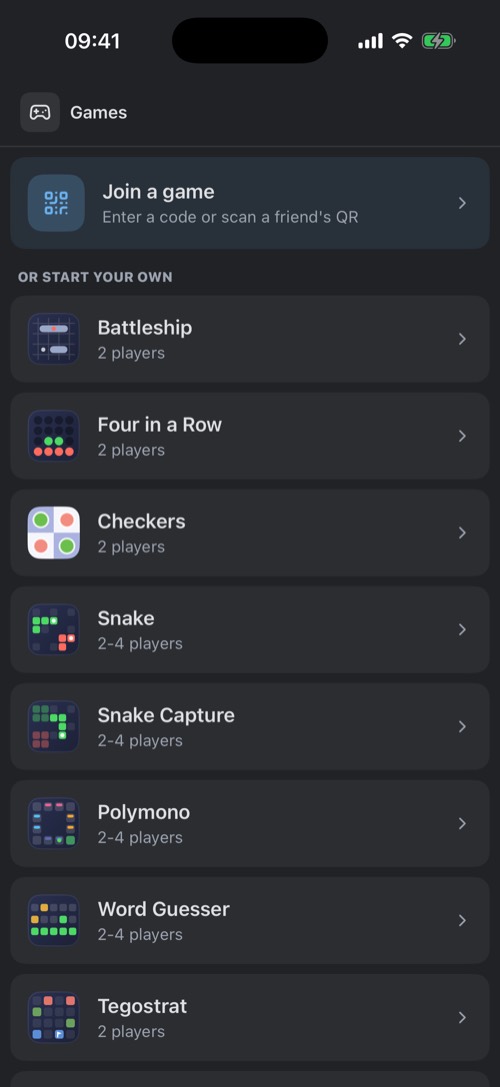
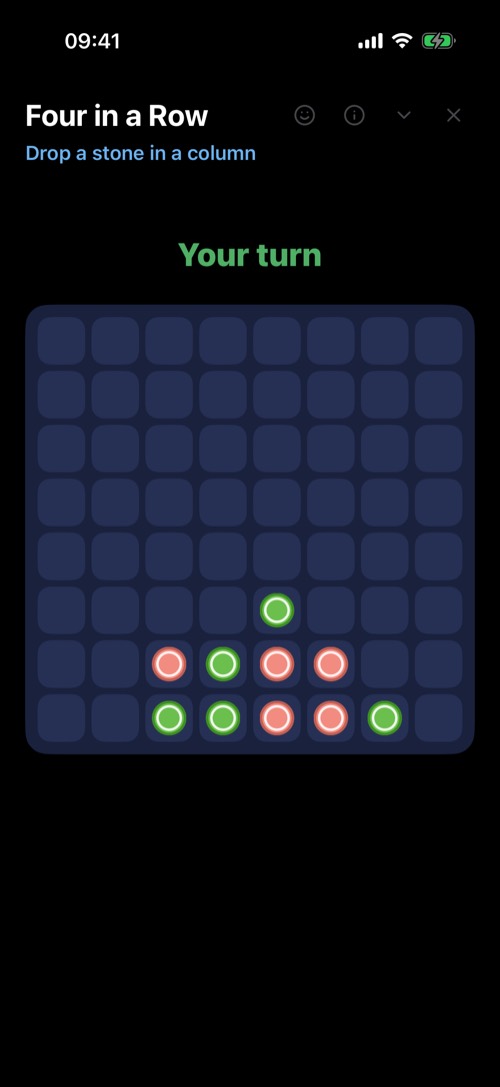
Challenge a friend from any DM: an invite card lands in the chat, they tap Join game and you play without leaving mssgs. No downloads, no separate app.
-
Nine games built in
Four in a Row, Battleship, Checkers, Word Guesser, Snake, Snake Capture, Polymono, Tegostrat and Memory.
-
Invite from the chat
Tap the game controller at the top of a chat. Friends join with the invite card, a room code or a QR code.
-
Several games at once
The floating game bar says when it is your turn, with up to 5 games going at once.
-
Watch a game
The host can allow spectators, and a Playing… pill under a friend's name lets you watch.
Also for players
-
In the browser too
The web app plays the same games, no install needed.
-
Rules in the lobby
How-to-play cards explain every game before you start.
-
Tournaments
Host a tournament: several rounds of your games, scored.
-
Game Activity
Link games you play outside mssgs to your account, and unlink them whenever you like.
-
Build a game
Developers can bring their own game to mssgs with the Game SDK.
The small apps you would otherwise switch to
Reminders, alarms, an agenda, a translator, a video editor and File Drop live in the same app as your chats.

-
Reminders on any message
Hold a message and choose Set Reminder: in 1 hour up to 1 week, or a time you pick. The notification takes you back to the message.
-
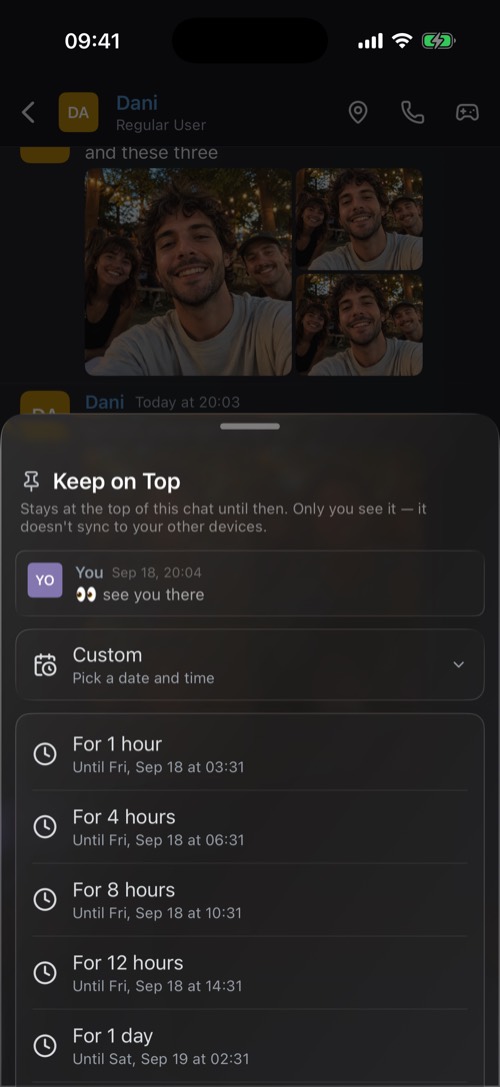
Keep on Top
Pin a message above a chat for yourself, from an hour up to a week.
-
Reminders for a group
Pick the chats and who gets it, and repeat daily, on weekdays, weekly or monthly. Good for "bins out" every Tuesday.
-
File Drop
Send files to people on the same network. Receiving is free, sending up to 20 GB is Premium.
Also in Tools
-
Alarms
Alarms that go off even when mssgs is closed, with your own sound on Premium.
-
Agenda
What you have on, with an import from Apple Calendar.
-
Translator
Speak and translate, for a conversation across languages.
-
Video editor
Cut, trim and crop a clip, and add text or sound.
-
Stopwatch, timer, calculator
The everyday basics, without leaving the app.
-
Clips
Save the last stretch of a watch party, trim it and publish it on the Clips tab of your profile.
-
News and facts
News from the sites you pick, and ten facts a day.
-
Your own bottom bar
Put the tabs you use most on the bar, and pin a chat, community or tool as its own button.
Bots, webhooks and AI that work in your chats
Post alerts with a webhook, give a community its own slash commands, build a bot with cards and buttons, or let an AI assistant like Claude read and reply through the MCP server in the desktop app.

-
An MCP server for AI assistants
The desktop app has an MCP server built in. Claude, Cursor or Codex can read, summarize, reply and even play games, only in the channels you expose.
-
Bots as members
Bot accounts have a BOT label, a profile and a status. Members mention them, DM them and use their commands.
-
Cards with buttons
Bot messages are cards with a coloured bar, fields, images, a status pill and buttons that call your service and update the card in place.
-
Webhooks and triggers
An incoming webhook posts into a channel; a /command trigger calls your web service and posts the answer.
Also for developers
-
Safe by default
The MCP server is off until you switch it on, read-only until you allow sending, reachable only from your own computer, and every AI tool gets its own revocable token.
-
Agents in a channel
Offer your own computer as an agent, and people in a channel hand it a task by mentioning it. It runs on your computer, not on mssgs servers.
-
Game SDK
Build a game that runs inside mssgs with the Game SDK.
-
Integrations
Ready-made GitHub and Unifi integrations.
-
Documentation
Everything with examples in the developer docs.
One account on every device, well protected
Sign in with a code by email, add a password and a second step if you like, and use the same account on your phone, your computer and in the browser. mssgs is free; Premium is a month at a time.
-
Sign in with a code
A code by email always works, so a password is optional. Passwords are stored as PBKDF2-SHA512.
-
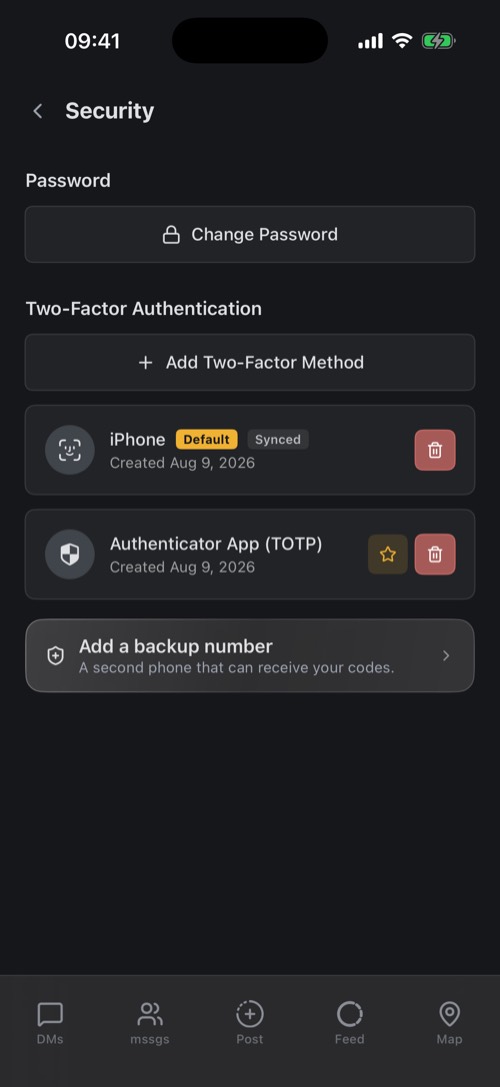
Two-factor authentication
A passkey (Face ID, Touch ID or a security key), an authenticator app, a hardware key or SMS, with a backup number.
-
Sign in with your phone
Scan the QR code on mss.gs/login or in the desktop app, check the code, and tap Yes, log in.
-
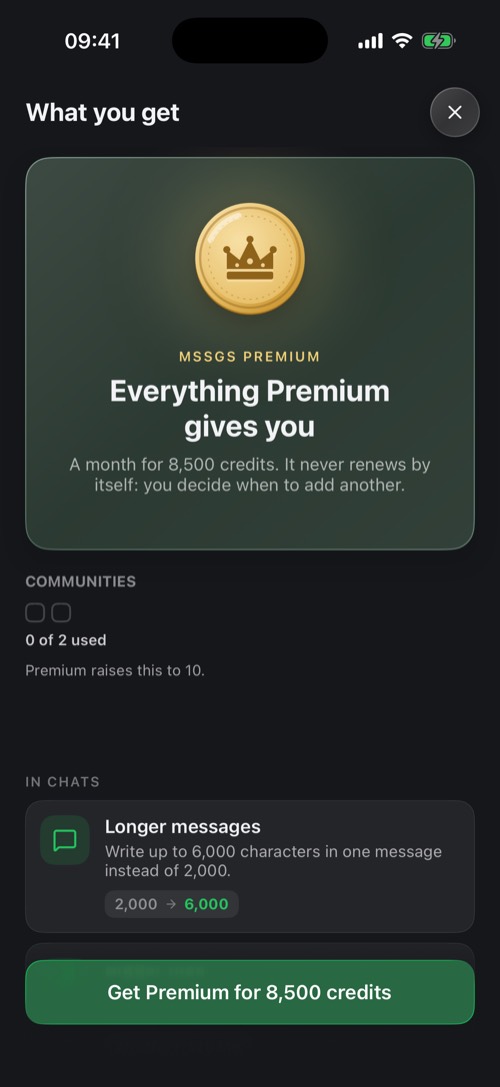
Premium, 30 days at a time
8,500 credits for 30 days, and it never renews by itself. See Premium.
Also in your account
-
Every device in view
Where you are signed in, with city and last activity. Remove one and it is signed out at once.
-
Several accounts
A personal and a work account on one phone, one tap to switch.
-
Credits
Top up in the app or on mss.gs/credits, redeem codes and gift credits. They never expire.
-
Badges that pay
Every achievement badge pays out credits when you unlock it.
-
Accessibility
Text up to 1.6 times larger, larger buttons, button labels, action confirmations and screen descriptions.
-
Ten languages
English, Dutch, German, French, Italian, Danish, Swedish, Finnish, Russian and Ukrainian.
-
Dark or light
Dark (the default), Light, or follow your phone.
-
Search in Settings
It understands the words people use, like "ringtone" or "passcode".
-
Your page on the web
mss.gs/@username shows your photo, bio and badges to people without mssgs.
-
Phone and computer together
Your phone waits while you are active on your computer, so you are not buzzed twice.
-
Decoration shop
Illustrated avatar decorations, nameplates and profile worlds, bought once with coins and kept for good.
On every device you use
One account, the same chats everywhere. Every download is on the downloads page.
-
iPhone and iPad
From the App Store, with an Apple Watch app.
-
Android
From Google Play.
-
macOS
The desktop app, with the MCP server built in.
-
Windows
An installer, or a portable build.
-
Linux
An AppImage.
-
The web
No install: open mss.gs/app in your browser.
Extra on iPhone
-
Widgets
Home Screen widgets for a channel, a DM, stories, posting a story and who is nearby.
-
Apple Watch
Your chats, stories, agenda and places on your wrist.
-
CarPlay
Your conversations in the car, read out and answered with Siri.
-
Siri and Shortcuts
Send a message, send a DM, share your location or send a preset message by voice or from a shortcut.
-
Share from any app
Send a photo, a link or a file from another app straight into a chat.
-
iPad
A layout with several columns side by side.
Extra on the desktop
-
Quick switcher
Ctrl+K or ⌘K jumps to any community, channel or DM, and Ctrl or ⌘ with 1 to 9 to a community. Also in the web app.
-
Pop out
Pop a DM, a call or a watch party video out into a window of its own.
-
Game overlay
See who is in your call, and the latest chat, on top of the game you are playing.
-
Clip mode
Pick a window or a screen, and save the last stretch of it as a clip with a key.
-
Touch ID
Unlock a locked chat with your fingerprint in the Mac app.
-
MCP server
Built into the desktop app from the downloads page, for Claude, Cursor and other AI tools.
Questions about the features
What can you do with mssgs?
Chat one-on-one or in groups with photos, voice memos, calls and screen sharing; run communities with text, voice, photo, suggestions, watch party and announcement channels; post stories and to a feed; share your location with the friends you pick; play nine games in the chat; and connect bots, webhooks and AI assistants.
Is mssgs free?
Yes. Nearly every feature on this page is free. Premium costs 8,500 credits for 30 days and never renews by itself; it raises limits like message length (5,000 instead of 2,000 characters) and attachments (50 MB instead of 25 MB).
Does mssgs have disappearing messages?
Yes, two kinds. Ghost mode in a DM clears messages about a minute after everyone has left the chat, and one-time view sends a photo or video that can be opened once. mssgs tells you when someone saves one or takes a screenshot, but it cannot stop them.
Can I video call and share my screen?
Yes. Calls in a DM are between two people and start as voice calls; turn the camera on whenever you like, and share your screen from the desktop app or your iPhone. Communities have voice channels with camera and screen sharing.
Can mssgs replace Discord for my group?
For most groups, yes: communities have text and voice channels, roles, invites and moderation, plus photo, suggestions and watch party channels. mssgs has no threads; replies and quotes stay in the channel. See the Discord comparison.
Which games are built in?
Nine: Four in a Row, Battleship, Checkers, Word Guesser, Snake, Snake Capture, Polymono, Tegostrat and Memory. See the games page.
Does mssgs work with AI assistants like Claude?
Yes. The desktop app from the downloads page has a built-in MCP server. It is off by default, read-only until you allow sending, only sees the channels you expose and is reachable only from your own computer.
Do I need a phone number?
No. An account is a username and an email address, and you sign in with a code by email. A password and two-factor authentication are optional.
Which devices does mssgs run on?
iPhone and iPad, Android, macOS, Windows, Linux and the web app. Your account and chats are the same on all of them. See downloads.
How private is mssgs?
One-to-one chats are end-to-end encrypted, there are no ads and no tracking, and your messages are never used to train AI. The servers mssgs runs on are hosted with BIT in the Netherlands. More on the security page.
Try it with your friends
Free to start. A username and an email address is all you need, no phone number.
Download mssgs