Playing Games: Invites, Lobbies & Spectating
Start a game from a DM, let friends join with the invite card, a room code or a QR code, and keep track of your turns.
Nine games are built into mssgs. No downloads, no separate app: the invite, the lobby and the game all happen inside mssgs.
Start a game with a friend
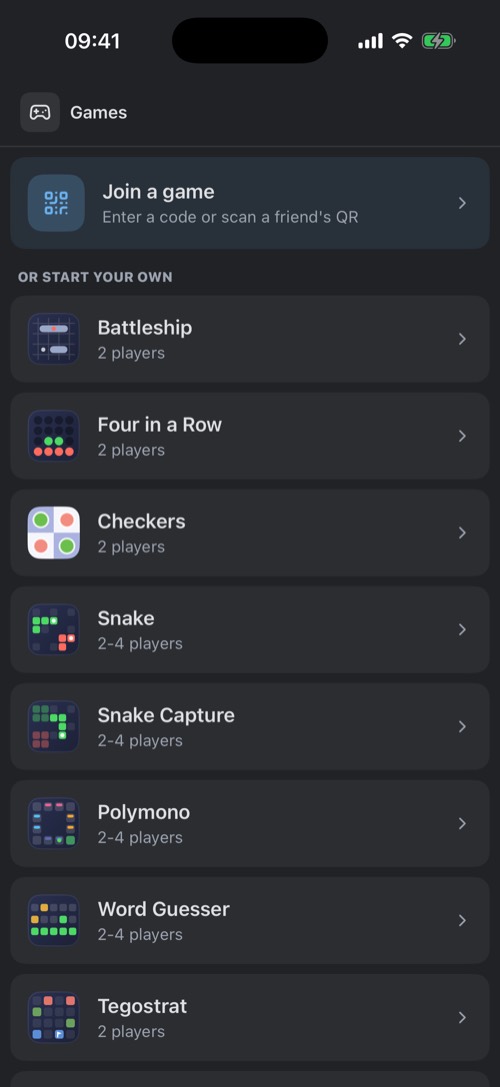
Other ways to start one: the game controller above your chat list, Play a game when you hold a chat, Start a game when you hold the DMs tab, or the Games tab. Snake and Word Guesser can also be played solo, offline.
Joining without the card
- Room code: every lobby shows a code, like
K7PQ2M. Enter it under Join a game. - QR code: the lobby also shows a QR code. Scan it with Join a game → Scan QR or Settings → Scan QR code.
- Invite: the lobby's Invite button sends an invite to more friends from your DMs.
While you play
- The floating game bar follows you through the app: "Your turn, tap to continue". Drag it anywhere or flick it to the side.
- Up to 5 games at once. With several going, the bar says how many and lets you pick one.
- How to play cards in the lobby explain the rules of each game.
Watching and afterwards
The host can switch on Allow spectators to watch this game. When a friend is in a public game you see a Playing… pill under their name in your DM: tap it and choose Watch.
When the game ends, a Game over card lands in the chat. The end screen has Play again, and a win can go to your story with Share on Story.
Was this article helpful?
Didn’t find what you were looking for? We’re happy to help.
Ask your question