Your Profile
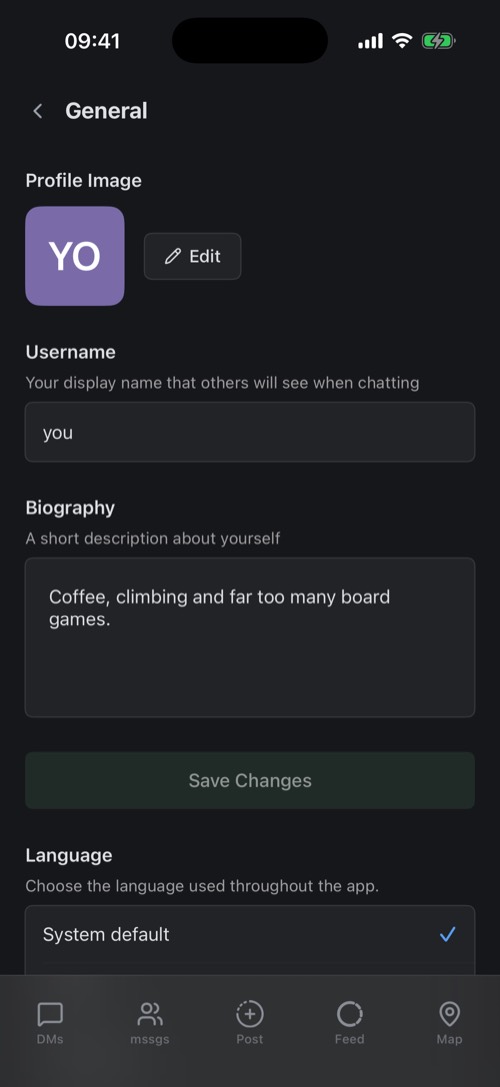
Profile photo, username, bio, language and appearance, all under Settings → General.
Profile photo
Tap Edit next to your profile image. Choose from your library, take a photo, or use the default picture: your initials in your own colour. Pinch and drag to frame it, then upload. Premium members can add animated stickers to their photo.
Username and bio
Your username is the name people see and search for. While you type, mssgs checks whether it is still available. The biography is a few lines about you. Tap Save Changes when you are done.
Language and appearance
- Language: follow your phone, or pick one of the ten languages mssgs speaks. mssgs restarts to switch.
- Appearance: Dark (the default), Light, or System to follow your phone.
- Confirm before sending: see Sending Messages.
Badges
Badges next to a name tell you who you are talking to: Verified, Premium (a crown), Staff, Moderator, Crew, Server Owner and BOT for automated accounts. Tap a badge to see what it means. The achievement badges you earn by using mssgs are under Settings → Badges, and each one pays out credits.
Your public page
Your profile also has a page on the web, mss.gs/@username, with your photo, bio and badges. Handy to share with people who do not have mssgs yet.
Was this article helpful?
Didn’t find what you were looking for? We’re happy to help.
Ask your question