Adding Friends
Find friends by username or QR code. A chat starts once they accept your request.
On mssgs you only chat with people who said yes. Every new conversation starts as a request, and the other person accepts it first.
By username
1
Tap + at the top of your chat list.
2
Type at least three letters of their username and pick them from the results.
3
Check the preview of how your request looks to them and tap Yes, send.
By QR code
Standing next to each other? This is the fastest way.
1
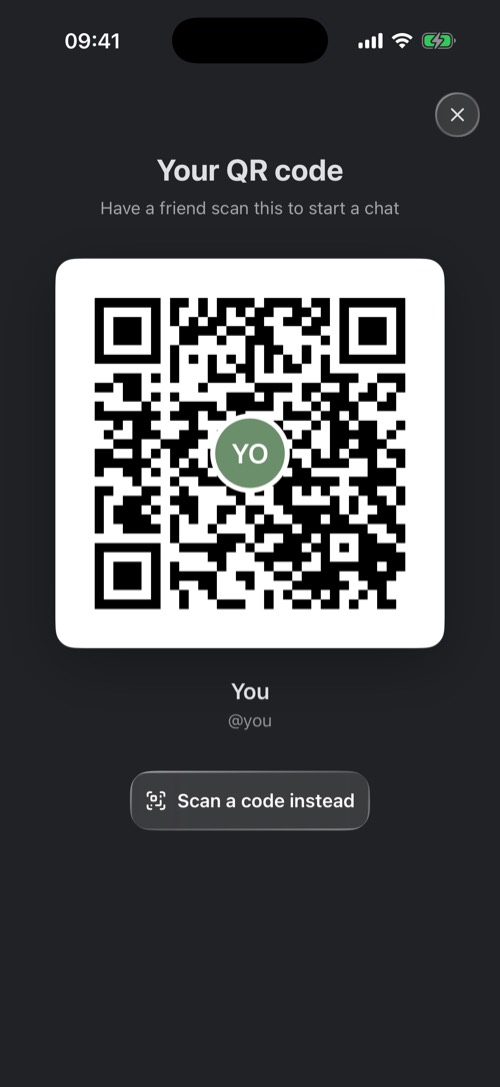
One of you taps the QR button above the chat list to show Your QR code.
2
The other taps Scan a code instead, or goes to Settings → Scan QR code, and points the camera at it.
3
The person showing the code gets a banner, wants to chat. Tap it to accept.
What happens to a request
- Pending: you see "Waiting for @name to accept your request" and when it expires.
- Accepted: the chat opens for both of you.
- Expired: nobody answered in time. You can send a new one.
- DMs Not Available: this person limits who can send them requests.
Requests you receive wait behind the envelope button above your chat list. Open one and choose Accept or Decline. Only accept people you know and trust.
Send a friend to someone else. Hold a chat and choose Share contact to post their profile into another chat.
Was this article helpful?
Didn’t find what you were looking for? We’re happy to help.
Ask your question