Creating Your Account
All you need is a username and an email address. mssgs signs you in with a code by email, so there is no password to remember.
mssgs does not need your phone number or your real name. An account is a username and an email address, and you sign in with a code that we email you.
Register
1
Open mssgs and tap No account? Register at the bottom of the sign-in screen.
2
Choose a username and enter your email address. Sometimes you are asked a short question first to prove you are not a bot.
3
Enter the 6-character code from the email (letters and digits, like
HK7TQ3). You are in.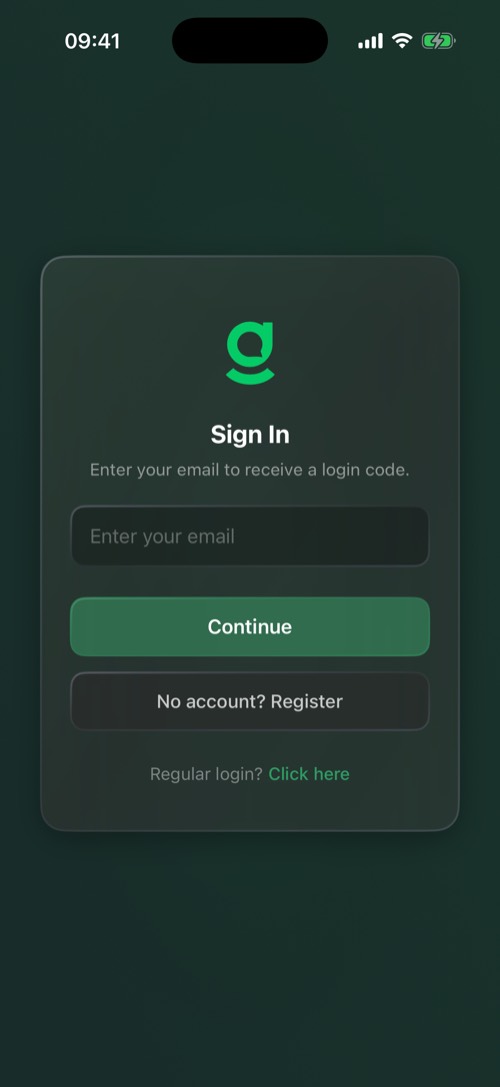
Your username is how friends find you and appears on your profile as @username. You can change it later in Settings → General.
Signing in later
- With a code (the default): enter your email, then the code from the email.
- With a password: tap Regular login? Click here and enter your username and password. Forgot Password? emails you a reset link.
- Saved accounts: accounts you used on this phone before show up as Continue as rows, one tap each.
If you turned on two-factor authentication, mssgs asks for your second step after this. See Password, Two-Factor & Devices.
No code in your inbox? Look in your spam or junk folder first. Still nothing after a minute? Go back, check the address for typos and ask for a new code.
Was this article helpful?
Didn’t find what you were looking for? We’re happy to help.
Ask your question