For hockey, football and other sports clubs
Your whole club in one community
Every team its own channel, the board its own corner, and parents who can see what is going on. The line-up, who is driving and Saturday's photos sit in one place, and the club news goes on the public feed for anyone who wants to follow along.
- A channel per team
- Roles for coaches and parents
- Club news on the feed
- Free, no ads
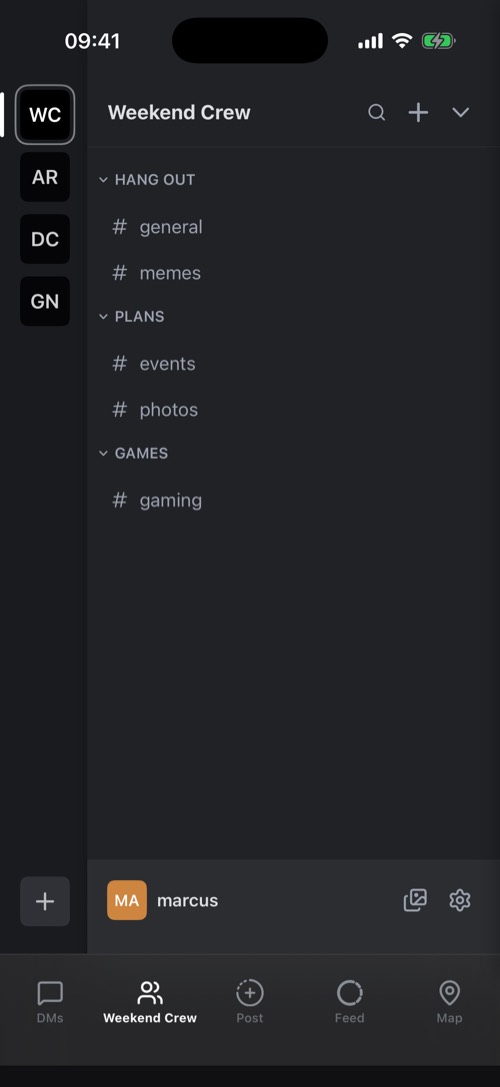
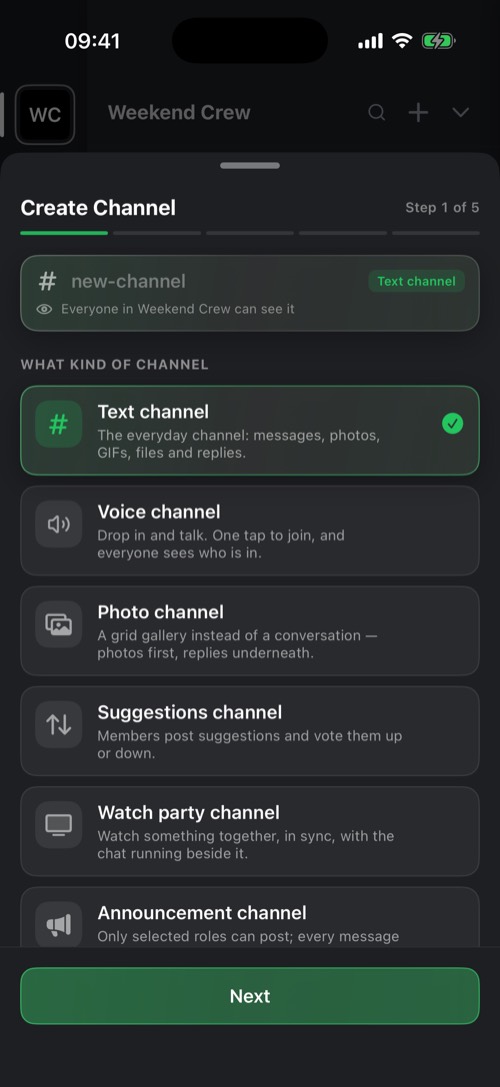
How to set up the club
A layout that grows with the club, from the youngest juniors to the board.
- Teams
- A category per team, with a text channel, a photo channel and a voice channel.
- User Groups
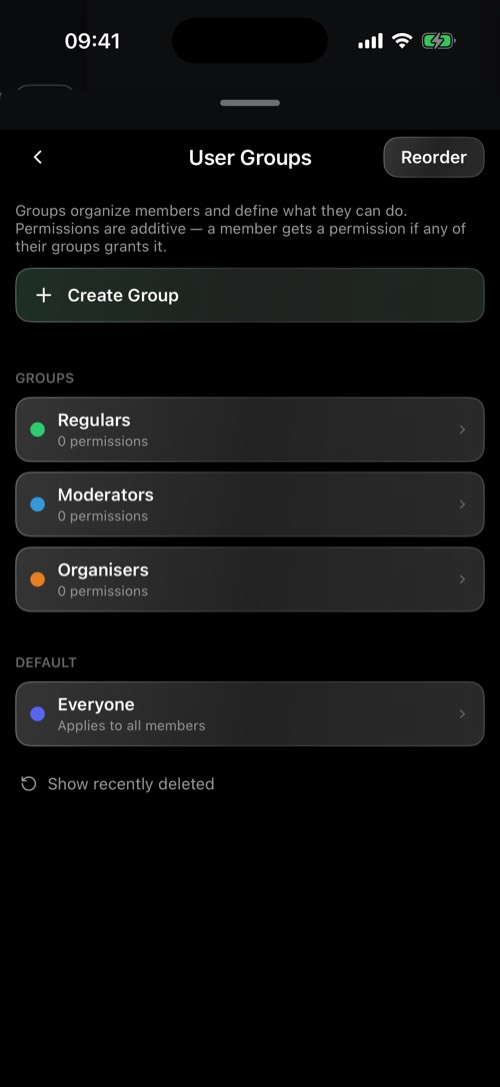
- Roles like Board, Coach, Parents and Player, each with its own colour and its own permissions.
- Channels per role
- With Assign roles to channels, only the board sees the board channel, and each team sees its own channels.
- Announcements
- An announcement channel where only the roles you choose can post. Everyone else reads along and reacts, if you allow it.
- Invites
- A link or QR code per team, with an expiry and a usage limit. Put it in the newsletter or on the clubhouse wall.
More in the help desk about channels and roles and permissions.
Teams and roles
Every team its own corner
A club is not a group chat with two hundred people in it. On mssgs every team gets its own channels, and roles decide who sees and does what.
-
Channels per team
Text, voice and photo channels per team, sorted into categories: Under 11s, Under 15s, Women's 1st XI.
-
Roles with real permissions
Board, Coach, Parents and Player, each with its own colour and permissions, down to who may post an event.
-
Ask for access
A new parent taps Request access or a role and asks for their team's role. An owner approves it.
-
Shared management
Add co-owners with the same rights in the desktop app, so running the community does not rest on one volunteer.
Planning
Fewer messages about who is driving
Matches, lift rotas and bar shifts are sorted in the chat itself, with no lists that get lost.
Events
A match or a training session everyone answers with Going, Maybe or Can't.
Polls
Who can drive on Saturday? A poll with a closing time settles it.
Reminders for a group
Repeat a reminder every week, like the bar shift or washing the kit, to the chats and people you choose.
Meetings without a room
A voice channel for the board, with camera and screen sharing.
Results on their own
A webhook posts results or the fixture list straight into a channel.
Find it again
Search one channel or the whole community, and pin the training schedule to the top.
Club news
News for everyone, no account needed
Supporters, sponsors and neighbours do not need to be members to see what is happening at the club.
-
The public feed
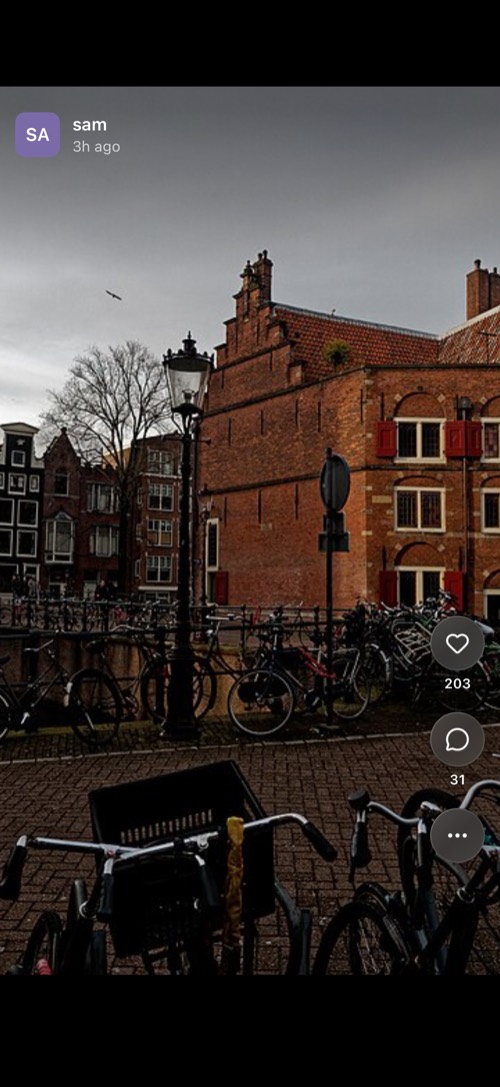
Post a result, the champions' team photo or the start of the season from the club's phone. It shows on feed.mss.gs and on the club's page, mss.gs/@clubname.
-
Public on the web
Set a text channel, like #news, to Public on the web. Anyone can read it at its link, without an account.
-
On the club website
Put the club's posts on your own website with an embed or through RSS. How that works is on feed.mss.gs/developers.
-
A button to the club
With an mssgs button on the club website, new members find your community.
-
Schedule it
Line up a post: now, in an hour, in a few hours or at a time you choose.
-
Pass it on to teams
Does a team have a community of its own? It follows the club's announcement channel, and the posts arrive there too.
Photos of junior players belong in the team's closed channels, not on the public feed. Ask parents for permission before you post anything in public.
Parents
Parents in the loop, with photos and videos
The match photos, the lift rota and a message from the coach reach the parents of that team, not the whole club.
Photo channels
A gallery per team: the match photos in a grid, with replies underneath.
Albums and videos
Pick several photos and they arrive as one album. Videos up to 60 seconds, or 180 seconds with Premium.
Private stories
A story only a group you choose can see, like the parents of one team.
Notifications per channel
Parents turn on notifications for their team's channel and keep the rest quiet.
No phone numbers
An account is a username and an email address. Parents and players do not share their number with the whole club.
Young players
mssgs is for ages 13 and up. Players aged 13, 14 and 15 join a community once a parent is linked to their account through the Parent Center. For younger players, the parents are the members.
Your club on mssgs in three steps
-
1
Pick a name
Reserve the club's name above, or create the community straight away in the app.
-
2
Set up the teams
A category per team, roles for the board, coaches and parents, and an announcement channel for club news.
-
3
Invite the club
A link or QR code per team, in the newsletter or on a poster in the clubhouse.
Frequently asked questions
What does mssgs cost a sports club?
Nothing. A community with channels, roles, voice, polls and events is free and has no ads. A free account owns 2 communities and joins 10; with Premium it owns 10 and joins as many as you like.
Do parents need an app?
No. mssgs also works in the browser, in the web app at app.mss.gs, with an account. A channel set to Public on the web they can even read without one. Anyone who wants the app has it for iPhone, Android, Mac, Windows and Linux.
Can junior players use mssgs?
From 13. Players aged 13 to 15 need a parent's permission and only join a community once a parent is linked to their account through the Parent Center. That parent sees who the child chats with and how long they were online, never the messages. From 16, players use mssgs on their own. For players under 13, the parents are the members.
How does club news get onto the feed?
Create an account for the club and post from the iPhone or Android app. A post shows on the public feed at feed.mss.gs and on the club's page, and you can put it on your own website.
Where is our data kept?
The servers mssgs runs on are hosted with BIT, a Dutch provider. Your data is not sold, there are no ads, and your messages are never used to train AI.
Who keeps an eye on things?
The owners and the roles you give the right to: they can kick or ban members and delete messages. When someone reports a message, the report goes to the volunteer mssgs community moderators, who vote on it.