Parent Center
Link a parent and a child account for activity summaries and alerts, without ever showing messages.
Settings → Parent Center links a parent's account to a child's account. It is built to give a parent a picture without reading along.
Link a child
1
The parent opens the Family tab. It shows Your connect code.
2
On the child's phone, open the My parents tab and choose Connect to a parent. Find the parent by username and enter the code.
3
The request appears on the parent's phone. The parent taps Accept.
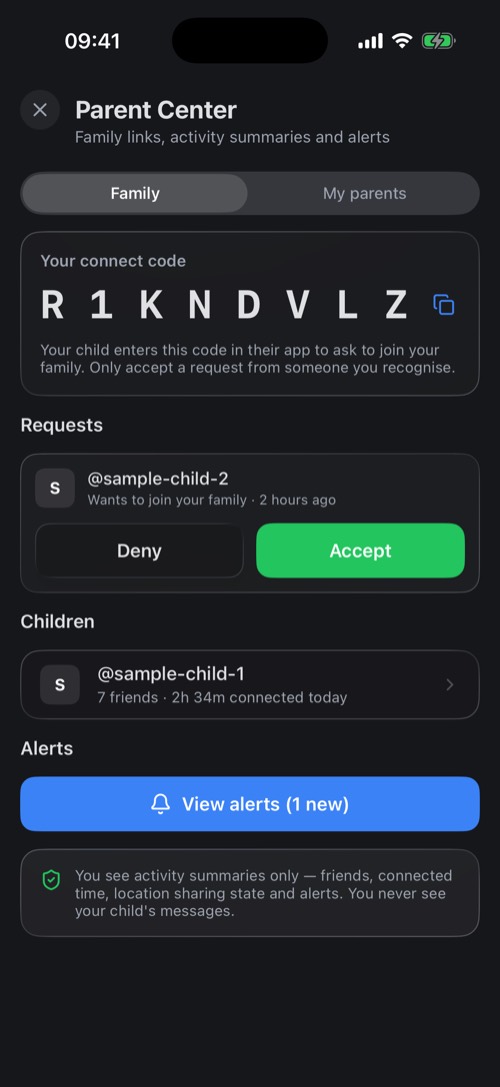
What a parent sees
- Who the child chats with, and how many friends they have.
- How long they were connected today.
- Whether location sharing is on. Never where the child is.
- Alerts that need a parent's attention.
A parent never sees the child's messages. Only accept a request from someone you recognise. More about how mssgs protects younger users is on the child safety page.
Was this article helpful?
Didn’t find what you were looking for? We’re happy to help.
Ask your question