Ghost Mode & One-Time View
Messages that disappear once they are seen, deadlines for disappearing, and photos that open only once.
Ghost mode
In a DM, ghost messages clear about a minute after everyone has left the chat. Nothing is left behind. Ghost mode is for DMs only.
- Tap the ghost button in the chat bar to turn ghost mode on or off for this chat.
- Hold it for more choices.
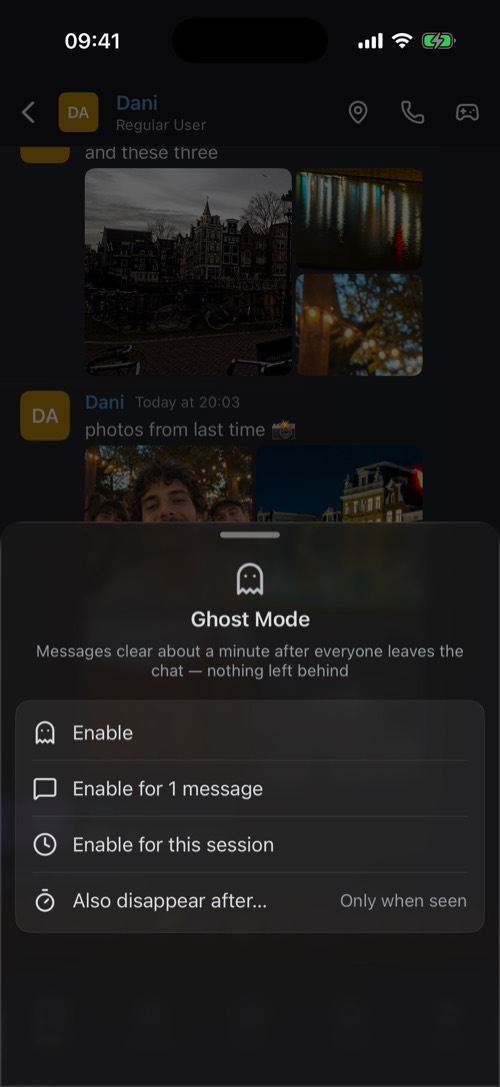
- Enable: ghost mode stays on for this chat until you turn it off.
- Enable for 1 message: only the next message is a ghost.
- Enable for this session: on for now, without changing the setting saved for this chat.
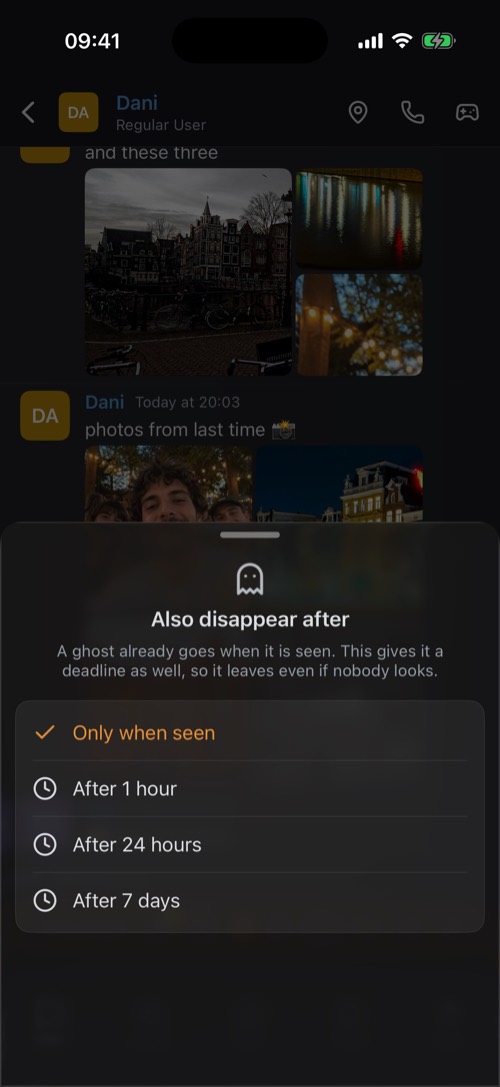
- Also disappear after…: a ghost goes when it is seen. This adds a deadline, 1 hour, 24 hours or 7 days, so it also goes if nobody looks.
Sent something you would rather have ghosted? Hold it and choose Make Disappearing.
One-time view
A one-time photo or video can be opened once. Then it is gone from the chat.
1
Add the photos or videos to your message as usual.
2
Hold the send button. Send as One-Time View appears.
3
Tap Send Once.
Photos from the camera in a DM go out one-time by default, and videos from it always do. The other person sees Tap to view. You see Sent, then Opened.
Once is not never. The other person can still save a one-time photo, or take a screenshot. mssgs tells you when they do ("saved an attachment" or "took a screenshot"), but it cannot stop them. Only share sensitive things with people you trust.
Was this article helpful?
Didn’t find what you were looking for? We’re happy to help.
Ask your question