Customizing a Chat
Chat backgrounds, pinned and archived chats, nicknames, per-chat sounds, auto-delete and the chat bar.
Almost everything here starts the same way: hold a chat in your list, or hold the name at the top of an open chat.
Chat background
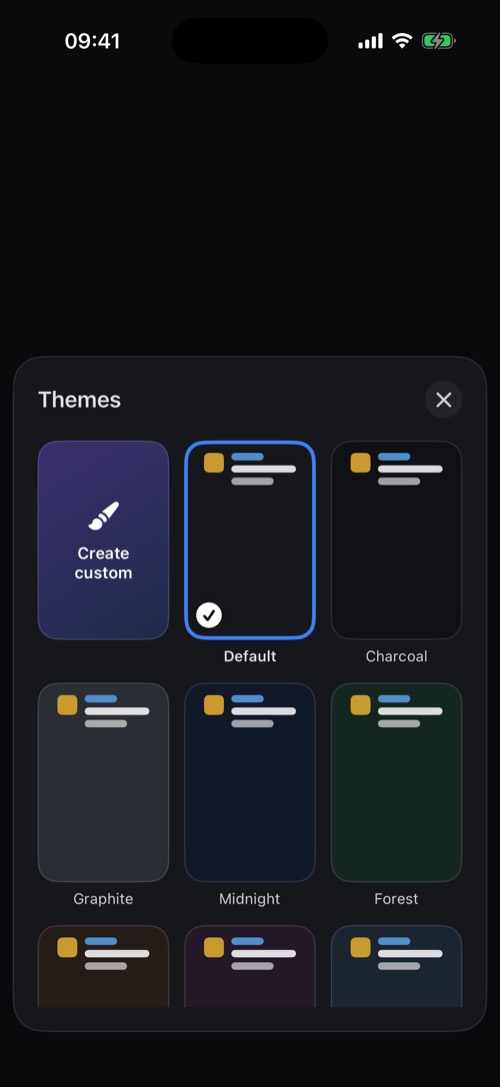
Choose Chat background and pick one of 22 themes, from Charcoal and Midnight to Forest and Rose. Tap one to preview it and Set it. Create makes your own from a colour or a photo, with your own bubble colour and brightness.
Pin and archive
- Pin keeps a chat at the top of your list. Free accounts can pin 3 chats, Premium as many as you like. Manage them in Settings → DM Settings.
- Archive moves a chat out of your list into the Archive tab. You can lock the archive with Face ID or a code.
Names, sounds and auto-delete
- Edit name & photo (Premium): give a friend a nickname and photo that only you see.
- Notification sound and Ringtone: a sound just for this chat, so you know who it is without looking.
- Update Expiry (hold the name in an open DM): delete messages automatically after 24 hours, a week, a year and more, or never.
- Lock with code: put a 4-digit code on the chat. See Chat Locks.
Your chat bar
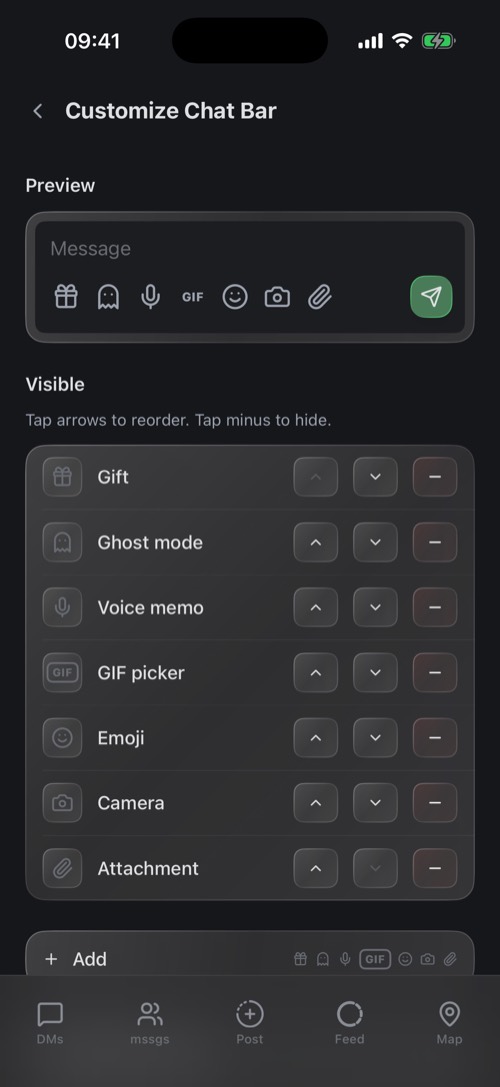
Use the buttons you like and hide the rest. Go to Settings → DM Settings → Customize chat bar. Tap the arrows to reorder, the minus to hide, and Reset to default to start over. This applies to your DMs. In communities, the chat bar follows what your role may do.
Was this article helpful?
Didn’t find what you were looking for? We’re happy to help.
Ask your question