Posting Photos & Stories
The Post button, filters and stickers, and choosing exactly who sees what you share.
Make a post
1
Tap Post in the middle of the bottom bar and take a photo or video, or pick one from your library.
2
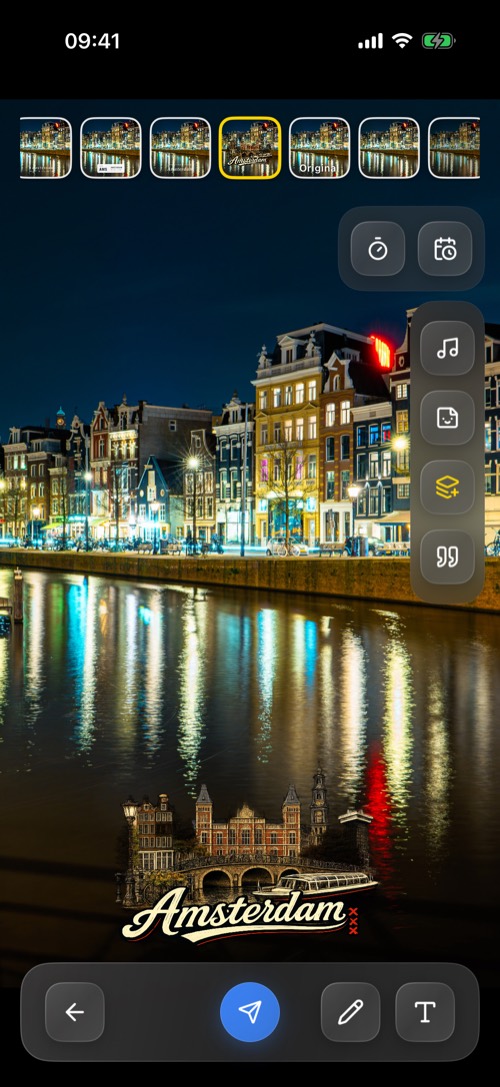
Swipe through the filters, including filters for the city you are in, and add text, stickers, music or a link.
3
Tap send and choose where it goes.
Who sees it
| Destination | Who sees it |
|---|---|
| Public Story | Everyone, for as long as the story lasts |
| Friends only Story | The people you have DMs with |
| Memory | Only you |
| Private groups | The members of the group you pick |
| Your chats and servers | The chats and channels you pick |
You can pick several at once, for example a friends-only story and two chats.
Timing
- Delay Sending: post now, in an hour, a few hours, or at a time you choose.
- Post Expiry: 1 hour, 12 hours, 24 hours, 5 days or Never. Stories last 24 hours by default, and a story set to Never still goes after 24 hours. Never keeps other posts up for good.
Two settings that change posting: Settings → DM Settings → Also save to Memory keeps a copy of every post for yourself, and Settings → Locations → Put public stories on the map decides whether your public stories appear on the map where you took them.
Was this article helpful?
Didn’t find what you were looking for? We’re happy to help.
Ask your question