The Map & Sharing Your Location
See friends on the map, choose who sees you and how precisely, freeze your spot and share a place in a chat.
The Map tab shows the friends who share their location with you. Sharing is always your choice, friend by friend.
Share your location with a friend
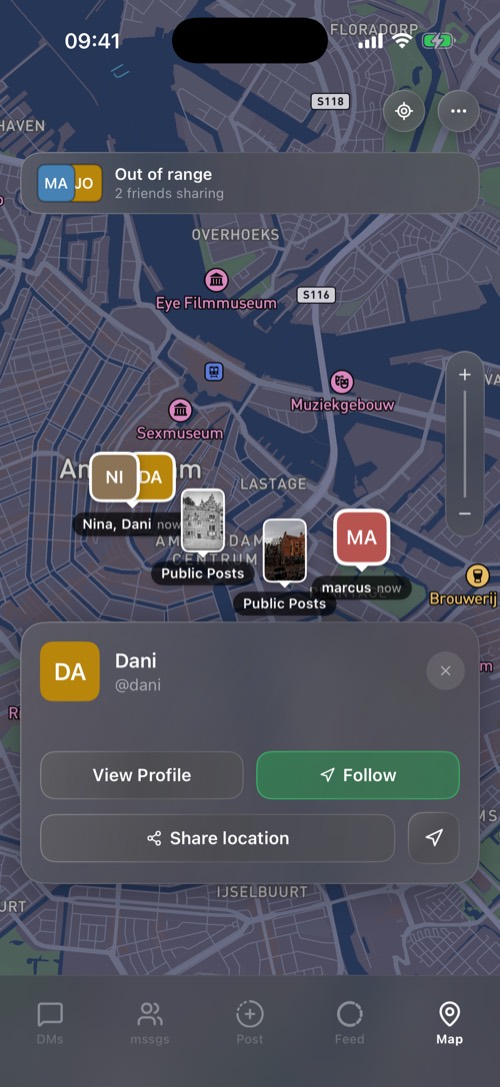
Sharing stays on until you stop it. There is no timer to forget.
Tap a friend
Their card shows how far away they are, with View Profile, Share location, Follow (keep the map on them) and Open in maps for directions in Apple Maps or Google Maps.
Freeze your location
With Premium you can freeze your location for a friend: they see you at the spot you choose until you unfreeze.
Share a place in a chat
Tap an empty spot on the map to drop a pin, then Share location and pick the chats. It arrives as a map card.
Map tools
The … button opens Range radar, What others see, Shared with, Who looked, Travel filters and Map settings.
Settings for the map
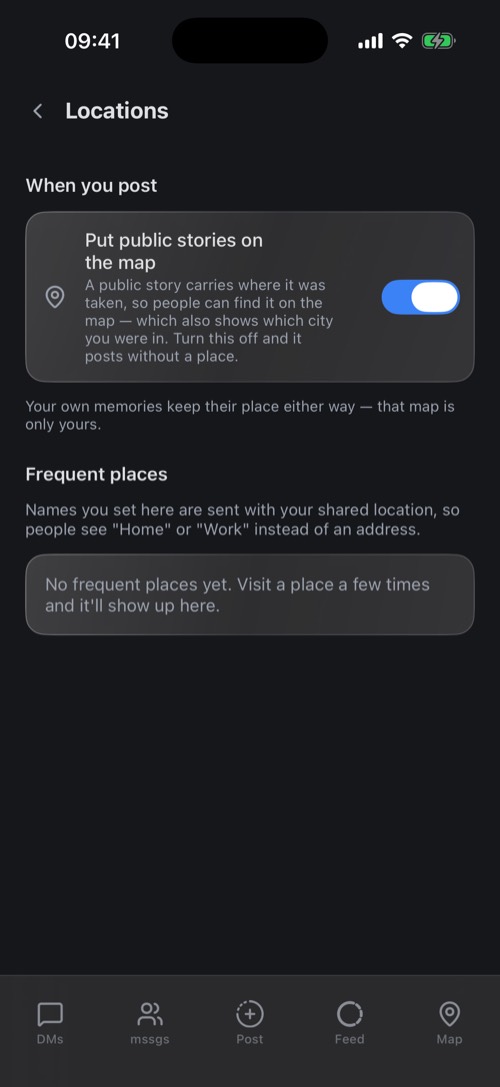
- Settings → Locations: name the places you visit often, like Home or Work. Friends then see the name instead of an address.
- Settings → Map & Filters: the map style (Default, Satellite, Streets, Outdoors), traffic, city photo filters and whether the map remembers where you left it.
- Settings → DM Settings → Friend's Location: what shows under a friend's name in your chats. No location, the place label only, or the label and city.
Was this article helpful?
Didn’t find what you were looking for? We’re happy to help.
Ask your question